# Update Presale Info

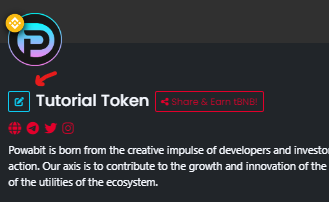
You can edit the promotional information for your presale by clicking on the pencil button next to the name of your token.

<figure><img src="https://2921786593-files.gitbook.io/~/files/v0/b/gitbook-x-prod.appspot.com/o/spaces%2FUrPIshcUQaCxO6chgWVs%2Fuploads%2FIEHvyzNGTinCAnR0l74A%2Fimage.png?alt=media&#x26;token=f6e04ab4-2f02-45b9-ad6c-b8801ed2049b" alt=""><figcaption></figcaption></figure>

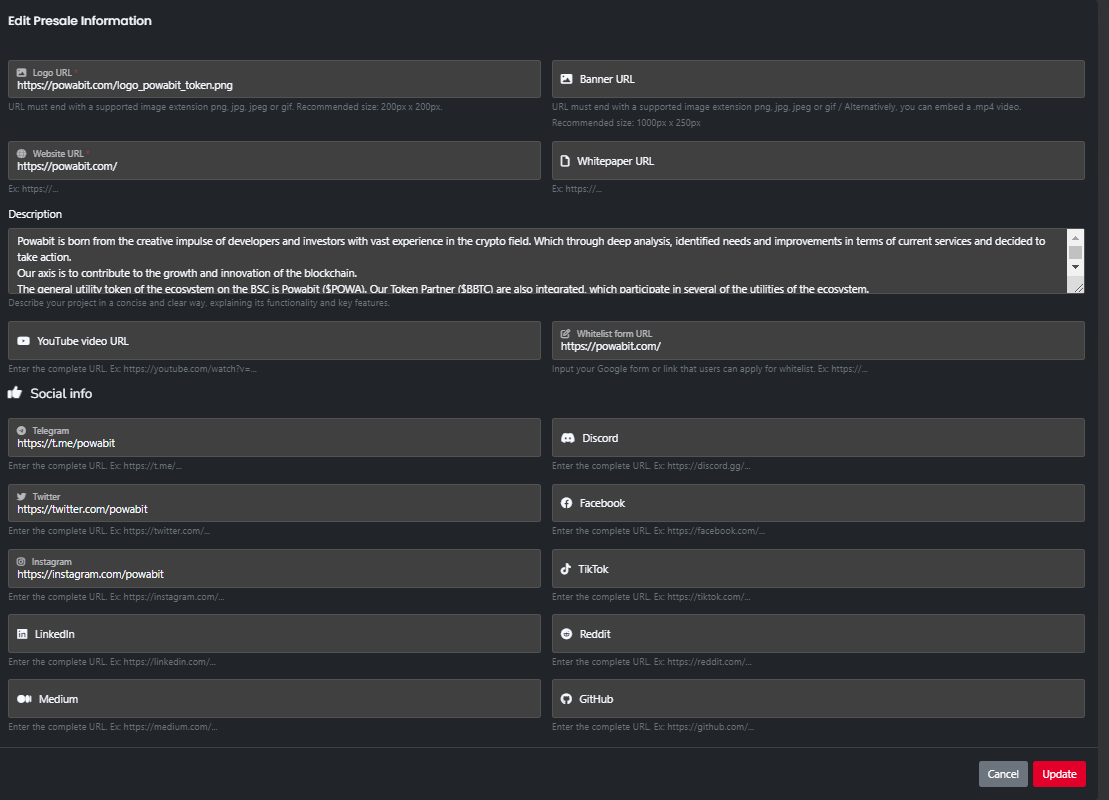
A form will be displayed where you can edit the current information.

<figure><img src="https://2921786593-files.gitbook.io/~/files/v0/b/gitbook-x-prod.appspot.com/o/spaces%2FUrPIshcUQaCxO6chgWVs%2Fuploads%2FSHogAo7S6LfkmFRYv1OO%2Fimage.png?alt=media&#x26;token=d5257706-0ae9-4f14-8312-7e93b546038b" alt=""><figcaption></figcaption></figure>

Once the changes are finished, you should click on the 'Update' button, and a transaction will be requested to confirm the changes.