# Change Network

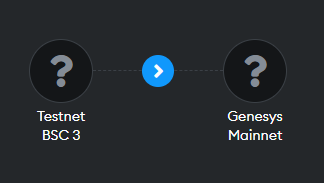
In the PowaDAP interface, you have a button located in the upper right corner to switch between the networks with which the platform is 100% compatible at the moment. We will continually be expanding the repertoire of these networks, so feel free to check for updates.

<figure><img src="https://2921786593-files.gitbook.io/~/files/v0/b/gitbook-x-prod.appspot.com/o/spaces%2FUrPIshcUQaCxO6chgWVs%2Fuploads%2FyXwHN6t6yU2YdFOl27HU%2Fimage.png?alt=media&#x26;token=30241e95-5b48-4e05-a0f4-baf02b2d8d49" alt=""><figcaption></figcaption></figure>

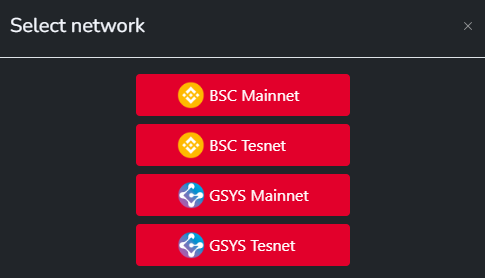
Once the button is pressed, a network selection window will appear, allowing you to choose between Testnet (for testing) and Mainnet (production) networks.

<figure><img src="https://2921786593-files.gitbook.io/~/files/v0/b/gitbook-x-prod.appspot.com/o/spaces%2FUrPIshcUQaCxO6chgWVs%2Fuploads%2FV5jcJsLR3H2ybpUgZZHJ%2Fimage.png?alt=media&#x26;token=4be77f96-9760-40fa-860b-056d7e5a6c51" alt=""><figcaption></figcaption></figure>

After selecting the specific network, you will be prompted by your connected wallet application to approve the network change.

<figure><img src="https://2921786593-files.gitbook.io/~/files/v0/b/gitbook-x-prod.appspot.com/o/spaces%2FUrPIshcUQaCxO6chgWVs%2Fuploads%2FAONmAkbLQiXqru1WUbSV%2Fimage.png?alt=media&#x26;token=2dc89563-5cc6-4d84-a1cf-99a8cafefdcb" alt=""><figcaption></figcaption></figure>

Subsequently, the current page will be updated with the selected network as a parameter.

### What happens if I connect from an unsupported network?

If you connect from a network that is currently not compatible, you will receive a warning message prompting you to select a network that is compatible with the platform.

<figure><img src="https://2921786593-files.gitbook.io/~/files/v0/b/gitbook-x-prod.appspot.com/o/spaces%2FUrPIshcUQaCxO6chgWVs%2Fuploads%2FZ3dus9qzI0E1RIMUEIJh%2Fimage.png?alt=media&#x26;token=999c00b8-1bb2-4e53-ae17-ceca53277780" alt=""><figcaption></figcaption></figure>